Gamification & Badges
Gamification adds a motivational layer to IntelliSales CRM by rewarding users with badges and achievements for hitting milestones, and ranking performance on leaderboards.
Navigate to Admin > Gamification.
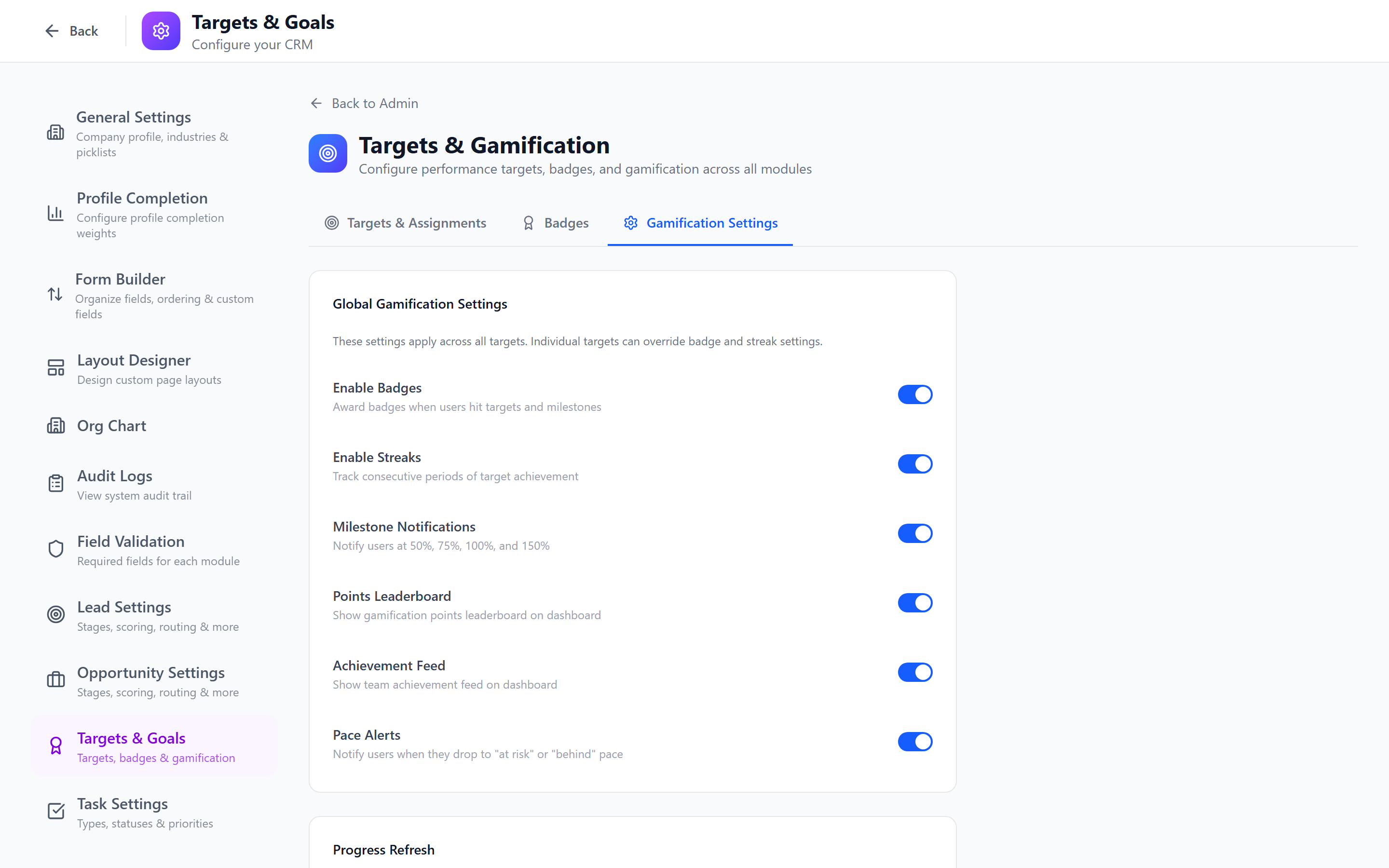
Gamification Overview
The gamification system consists of four components:
| Component | Purpose |
|---|---|
| Badges | Visual awards earned by meeting specific criteria |
| Achievements | Milestone tracking with progress indicators |
| Leaderboards | Competitive rankings across users and teams |
| Incentives | Programs that link performance to rewards |
Creating Badges
Badges are visual awards displayed on user profiles and in the leaderboard.
- Click Create Badge.
- Configure:
- Name (required) — e.g., "Closer", "Pipeline Builder", "Speed Demon"
- Description — what the badge represents
- Icon — select or upload a badge icon
- Criteria — the condition that triggers the badge award
- Category — group badges by type (Sales, Activity, Milestone)
- Click Save.
Badges in the Compute Loop
Badges are now wired directly into the target compute pass. Every time targets recompute (real-time on entity events plus a nightly recompute), the badge engine evaluates the same dataset and awards (or revokes) badges in lock-step. You don't have to wait for a separate cron — when the kanban shows you hit your number, the Closer badge appears immediately.
Badges also have scoped triggers — a badge can be limited to a specific role, team, or department so a sales-rep-only badge doesn't appear on a customer-success rep's profile.
Badge Criteria Examples
| Badge | Criteria | Description |
|---|---|---|
| First Deal | Close 1 deal | Awarded on first closed-won opportunity |
| Pipeline Pro | Create $100K in pipeline in a month | Building significant pipeline |
| Speed Demon | Close a deal in under 14 days | Fast sales cycle |
| Century Club | Close 100 deals (lifetime) | Long-term achievement |
| Overachiever | Hit 150% of quota | Exceeding targets significantly |
| Perfect Week | Complete all tasks 5 days in a row | Consistent task completion |
| Rainmaker | Close $1M in revenue (quarter) | Top revenue performance |

Create a mix of easy badges (First Deal, First Call) to encourage new users and aspirational badges (Rainmaker, Century Club) to motivate top performers. Everyone should be able to earn at least a few badges.
Achievement Tracking
Achievements are progressive milestones that show progress toward a goal.
How Achievements Work
Unlike badges (which are binary — earned or not), achievements have levels:
Deal Closer:
  Bronze: Close 5 deals → ████████░░ 80% (4/5)
  Silver: Close 25 deals
  Gold:   Close 100 deals
  Platinum: Close 500 deals
The system automatically tracks progress and awards each level when reached.
Creating an Achievement
- Click Create Achievement.
- Define the metric being tracked.
- Add levels with thresholds.
- Each level can have its own badge icon.
- Save.
Leaderboard Configuration
Leaderboards rank users based on performance metrics.
Configuring Leaderboards
- Select the Leaderboard tab.
- Click Configure Leaderboard.
- Set:
- Metric — what to rank by (revenue closed, deals won, tasks completed, pipeline created)
- Period — weekly, monthly, quarterly, annual
- Scope — company-wide, by department, or by team
- Visibility — who can see the leaderboard (all users, managers only)
- Display count — how many positions to show (top 5, 10, 20)
- Save.

Leaderboards update in real time. As deals close and activities are logged, rankings shift automatically. Leaderboards are displayed on the Dashboard and in the Gamification section.
Multiple Leaderboards
You can create multiple leaderboards with different metrics and scopes:
- Revenue Leaderboard — monthly, company-wide
- Activity Leaderboard — weekly, by team (calls + meetings)
- Pipeline Leaderboard — quarterly, by department
Incentive Programs
Incentive programs link gamification achievements to tangible rewards.
Creating an Incentive
- Select the Incentives tab.
- Click Create Incentive.
- Configure:
- Name — e.g., "Q1 Sales Contest", "Activity Blitz Week"
- Duration — start and end dates
- Qualifying Criteria — what users must achieve
- Reward Description — what the winner receives
- Tracking Metric — which metric determines the winner
- Save.
Short-duration incentives (1-2 weeks) create urgency. Long-duration incentives (quarterly) sustain motivation. Use both.
Best Practices
- Start small — launch with 5-10 badges and one leaderboard. Add more as the team engages.
- Celebrate publicly — display badge awards in team channels or meetings.
- Balance individual and team — include both individual achievements and team-based competitions.
- Avoid "gaming" — design criteria that reward genuine value (revenue, client outcomes) not just volume (100 calls with no quality).
- Refresh regularly — introduce new badges quarterly to keep the system fresh.
- Get team input — ask your team what achievements they would find motivating.
Gamification works best when combined with a healthy team culture. If it creates toxic competition rather than motivation, adjust the leaderboard visibility or focus on team-based metrics instead of individual rankings.
Next: Notification Settings — Configure notification channels and delivery.