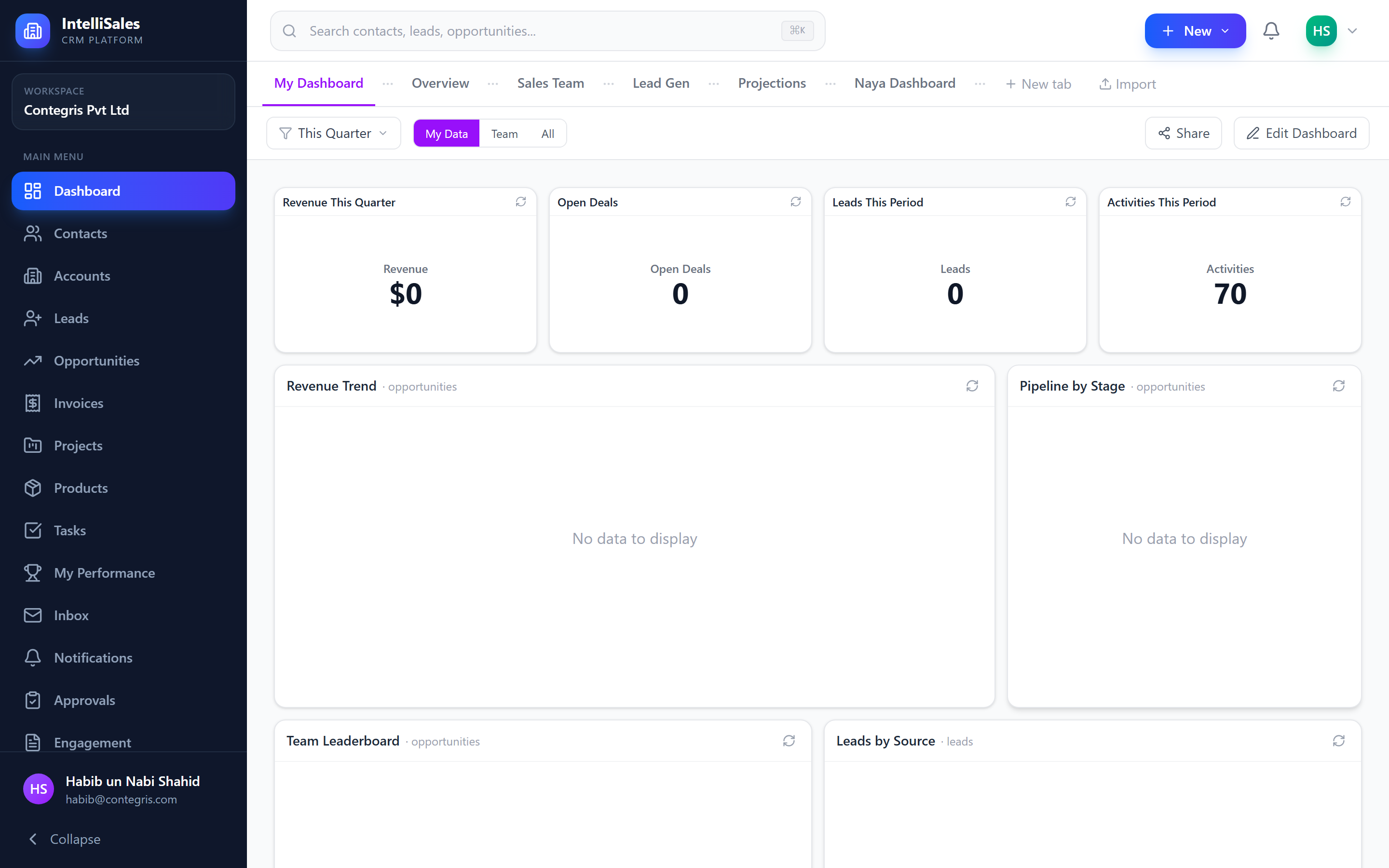
Getting Started with IntelliSales CRM
Welcome to IntelliSales CRM — a complete Business & People Operating System designed to manage every stage of your customer lifecycle, from first contact to long-term success.
What is IntelliSales CRM?
IntelliSales CRM is a multi-tenant SaaS platform that unifies your entire business workflow into a single, integrated system. Rather than juggling separate tools for sales, project management, invoicing, and customer support, IntelliSales CRM brings everything together under one roof.
The platform follows a natural business lifecycle:
Lead → Opportunity → Deal → Project → Support → Customer Success
Every module is interconnected, so data flows seamlessly from one stage to the next. When you convert a lead, it automatically creates a contact, account, and opportunity. When you close a deal, you can spin up a project with a single click.
Key Modules Overview
| Module | Purpose |
|---|---|
| Dashboard | Real-time KPIs, charts, and widgets tailored to your role |
| Contacts | Manage individuals — your people directory |
| Accounts | Manage organizations (B2B and B2C) |
| Leads | Track and qualify inbound and outbound prospects |
| Opportunities | Manage qualified deals through your sales pipeline |
| Products | Maintain your product/service catalog and price books |
| Invoices | Create, send, and track invoices and payments |
| Projects | Plan and execute projects with phases, tasks, and Gantt charts |
| Tasks | Manage to-dos, calls, meetings, and follow-ups |
| Email Inbox | Integrated email with CRM entity linking |
| Reports | Build custom reports with charts, filters, and scheduling |
| Workflows | Automate repetitive actions with trigger-based rules |
| Approvals | Route records through approval chains |
| Forms | Build public-facing forms to capture leads and data |
| Scheduling | Publish booking pages for clients to schedule meetings |
| Notifications | Stay informed with in-app, email, SMS, and push alerts |
System Requirements
IntelliSales CRM is a cloud-based application. You need:
- A modern web browser — Chrome, Firefox, Edge, or Safari (latest two major versions)
- A stable internet connection
- A screen resolution of 1280x720 or higher (1920x1080 recommended)
For the best experience, use Google Chrome or Microsoft Edge on a desktop or laptop computer. The interface is responsive and works on tablets, but a larger screen makes managing complex data much easier.
Quick Start Guide
Follow these steps to get oriented after your first login:
-
Log in to your tenant workspace using the credentials provided by your administrator. See Logging In for detailed instructions.
-
Explore the Dashboard — your landing page shows key metrics and activity summaries. See Dashboard Overview.
-
Navigate the sidebar — the left sidebar contains links to every module. Hover over icons to see labels, or expand the sidebar for full text. See Navigating the Interface.
-
Check your profile — click your avatar in the top-right corner to review your profile, set your avatar, and configure notification preferences. See Your Profile.
-
Start working — depending on your role, you might:
- Sales reps: Start with Leads or Opportunities
- Managers: Explore Reports and Dashboard Widgets
- Support staff: Check Tasks and Notifications
Your administrator controls which modules you can access and what actions you can perform. If you cannot see a module or button mentioned in this guide, contact your admin to check your role permissions.
Getting Help
- Use the global search bar at the top of the page to quickly find any record across modules. See Global Search.
- Check the notification bell for updates on records assigned to you.
- Reach out to your organization's IntelliSales CRM administrator for role or permission questions.