Audit Logs
The audit log system records every significant action performed in IntelliSales CRM — who did what, when, and what changed. This provides a complete change history for compliance, troubleshooting, and accountability.
Navigate to Admin > Audit Logs.
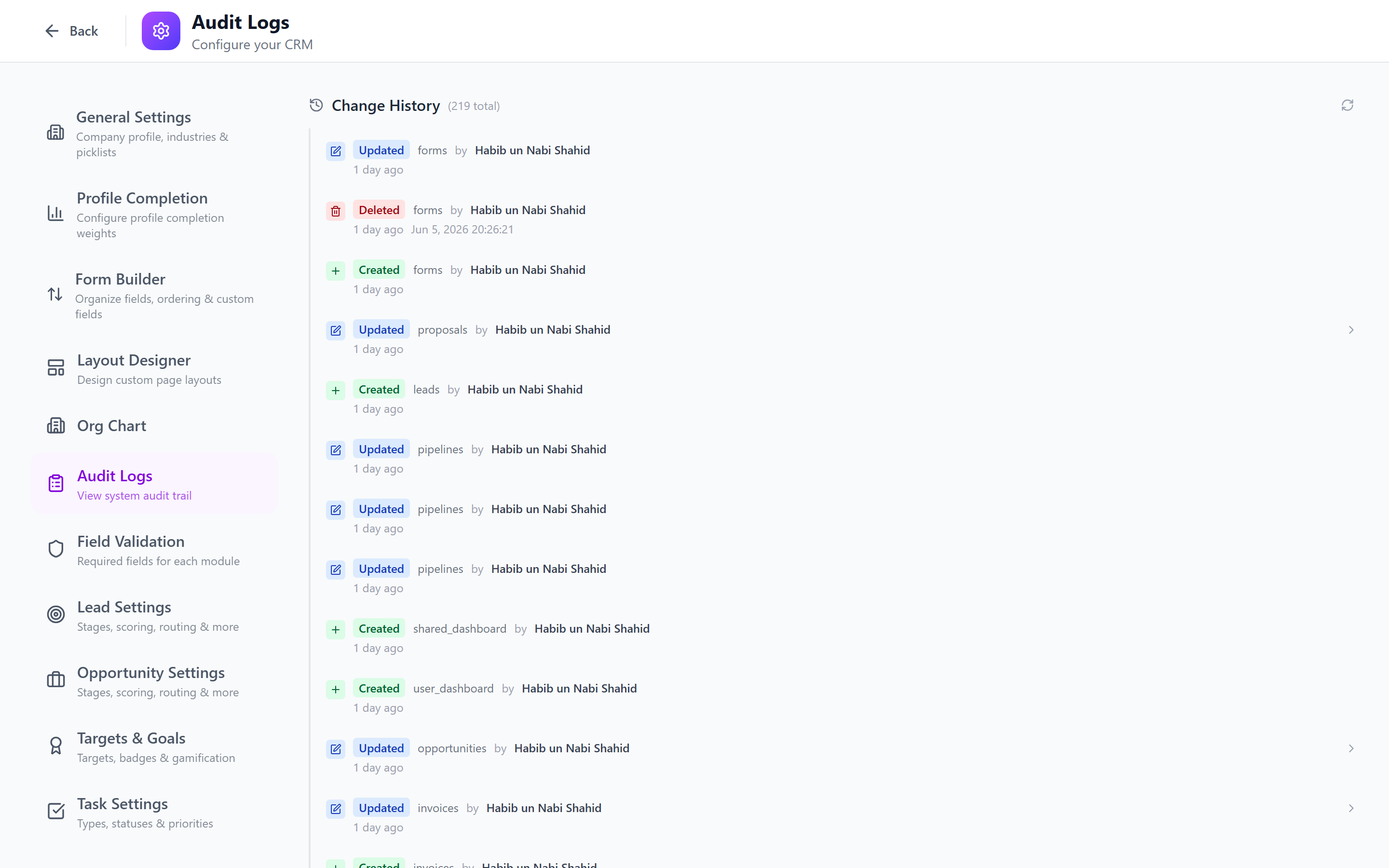
Audit Log System Overview
Every create, update, and delete operation is logged automatically by the AuditService. Log entries capture:
- Who performed the action (user ID and name)
- What was affected (entity type and record ID)
- When the action occurred (timestamp)
- What changed (old values, new values, specific fields modified)
- What action was taken (create, update, delete)
Audit logging is automatic and cannot be disabled. Every API call that modifies data generates an audit entry. This ensures a tamper-proof record of all changes.
Viewing Audit Logs
The audit log page displays a paginated table of all log entries, newest first.
| Column | Description |
|---|---|
| Timestamp | When the action occurred |
| User | Who performed the action |
| Entity Type | Module affected (Contact, Lead, Opportunity, etc.) |
| Entity | The specific record name/title |
| Action | Create, Update, or Delete |
| Changes | Summary of what changed |
Click on any row to expand the full details.
Filters
Use the filter panel to narrow down log entries:
Entity Type Filter
Select one or more entity types:
- Contacts, Accounts, Leads, Opportunities, Tasks, Projects
- Users, Roles, Departments, Teams
- Pipelines, Stages, Settings
- All other tracked entities
Action Filter
| Action | Description |
|---|---|
| Create | A new record was created |
| Update | An existing record was modified |
| Delete | A record was soft-deleted |
Date Range Filter
Select a predefined range or custom dates:
- Today
- Last 7 days
- Last 30 days
- Last 90 days
- Custom range (date picker)
User Filter
Search for and select a specific user to see only their actions.
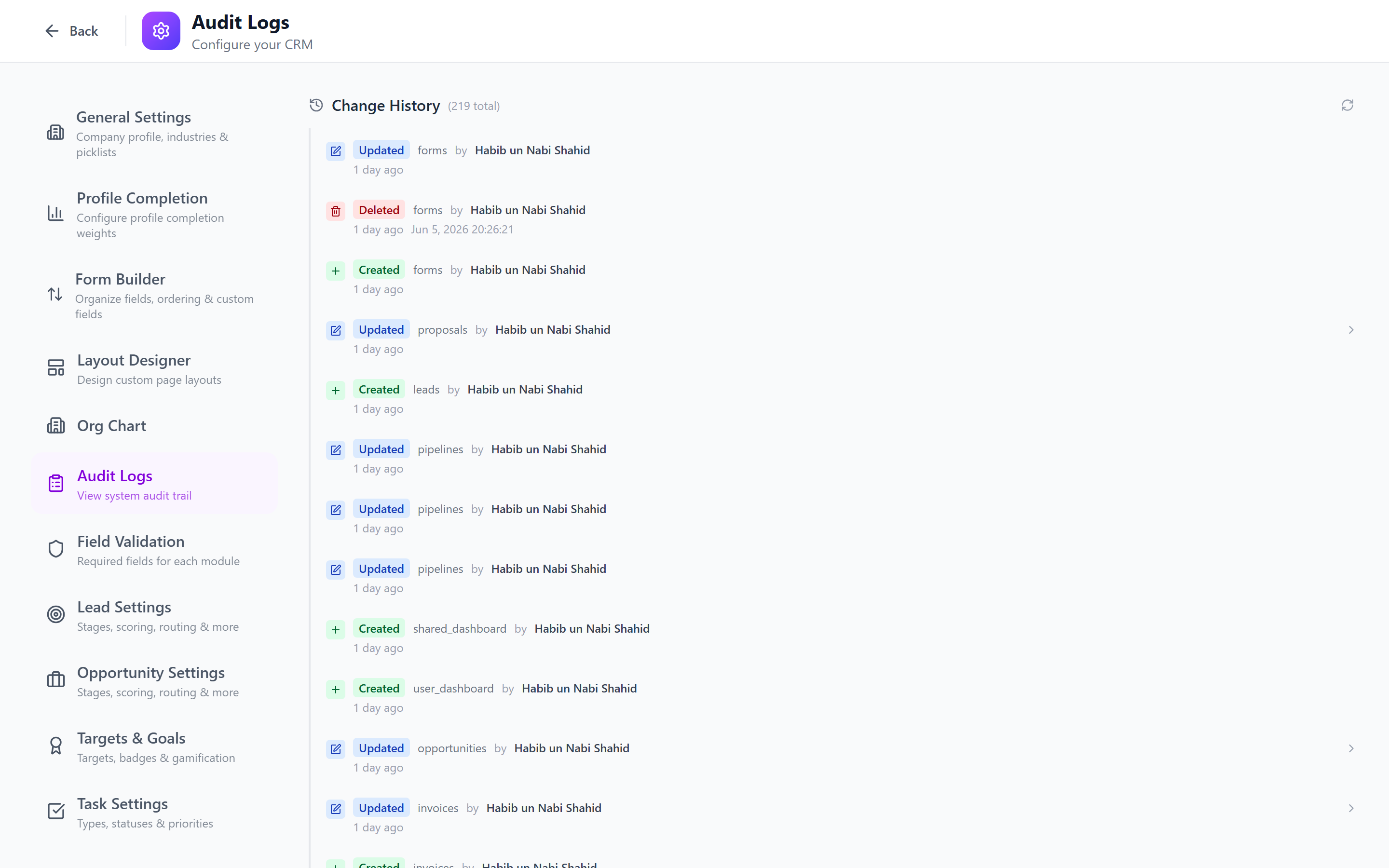
Combine filters to investigate specific scenarios. For example, "Entity Type = Opportunities, Action = Delete, Last 30 days" shows all deleted opportunities in the past month with who deleted them.
Log Details: What Changed
Expanding a log entry reveals the full change details.
Create Action
Shows all field values set on the new record:
Action: Create
Entity: Lead "Acme Corp - Website Demo"
User: Jane Smith
Timestamp: 2026-03-18 14:32:05

New Values:
  name: "Acme Corp - Website Demo"
  source: "Website"
  priority: "High"
  owner: "Jane Smith"
  stage: "New"
  pipeline: "Standard Sales"
Update Action
Shows the old value and new value for each changed field:
Action: Update
Entity: Opportunity "Acme Corp Deal"
User: Tom Wilson
Timestamp: 2026-03-18 15:10:22

Changes:
  stage: "Proposal" → "Negotiation"
  amount: 45000 → 52000
  probability: 40 → 60
Delete Action
Shows the record that was deleted and its last known values:
Action: Delete (soft)
Entity: Contact "John Doe"
User: Admin User
Timestamp: 2026-03-18 16:45:00

Deleted Record:
  name: "John Doe"
  email: "john@example.com"
  company: "Example Corp"
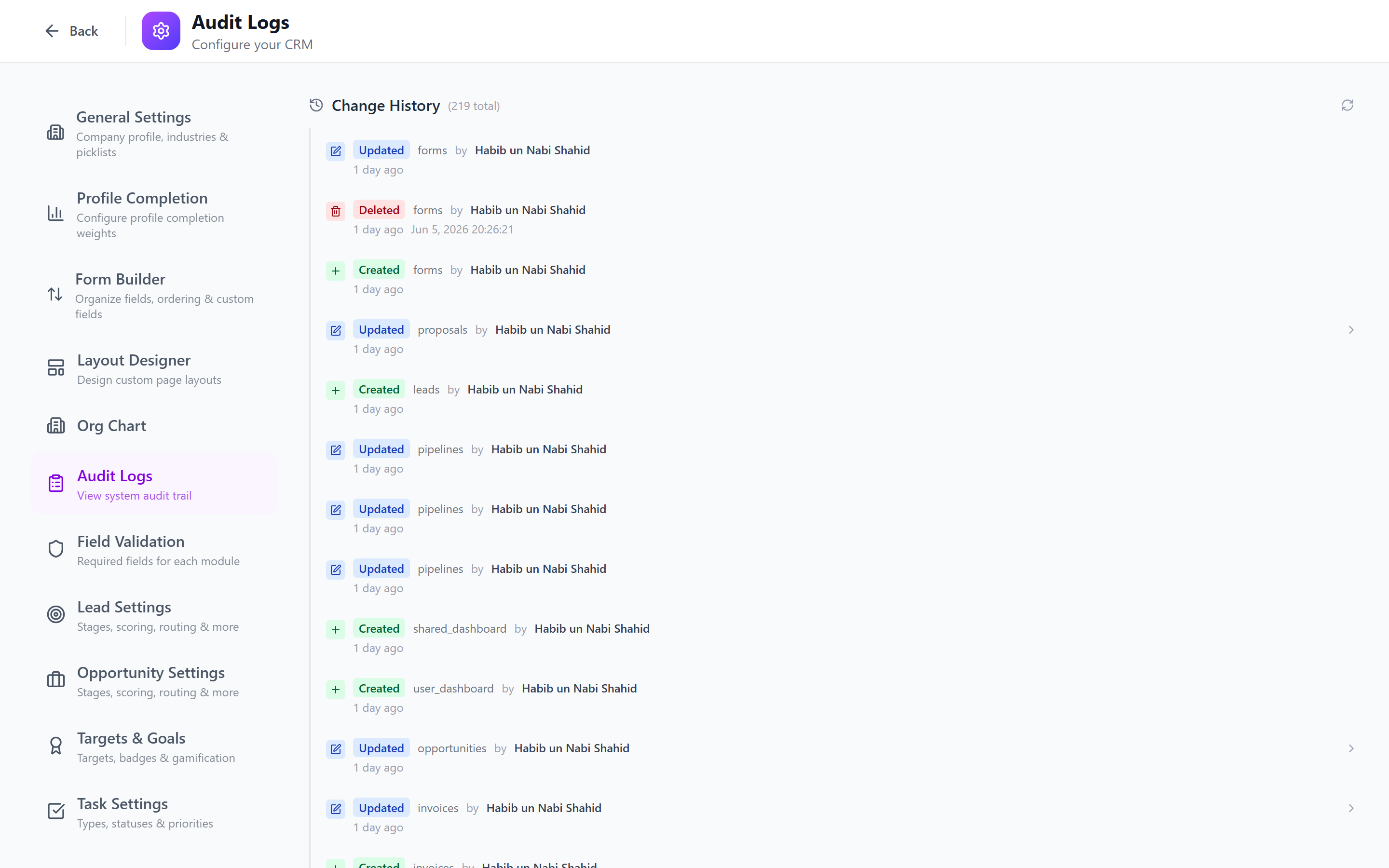
Entity-Specific History
View the complete change history for a single record:
- Open any record's detail page (Contact, Lead, Opportunity, etc.).
- Switch to the Activity or History tab.
- The audit trail for that specific record is displayed chronologically.
This is useful when investigating what happened to a specific record over time.
Example: Record History Timeline
Mar 18, 2026 14:32 — Created by Jane Smith
Mar 18, 2026 15:10 — Stage changed: New → Contacted (Jane Smith)
Mar 19, 2026 09:15 — Owner changed: Jane Smith → Tom Wilson (Manager Override)
Mar 19, 2026 14:00 — Amount updated: $30,000 → $45,000 (Tom Wilson)
Mar 20, 2026 11:30 — Stage changed: Contacted → Qualified (Tom Wilson)
Mar 22, 2026 16:00 — Priority changed: Medium → High (Tom Wilson)
Audit Log Retention
| Setting | Default |
|---|---|
| Audit log retention | 2 years |
| Archival | Older logs are archived but queryable |
| Export | Audit logs can be exported to CSV for external analysis |
Audit log retention is configured at the system level and typically matches your organization's compliance requirements. Consult your compliance team for the appropriate retention period.
Compliance and Security Use Cases
Data Protection Compliance (GDPR, SOC 2)
- Track who accessed or modified personal data.
- Demonstrate that only authorized users made changes.
- Provide evidence for data subject access requests.
Internal Investigations
- Investigate unauthorized data modifications.
- Track who deleted important records.
- Audit user activity for suspicious patterns.
Change Management
- Review all changes made during a release or migration.
- Verify that bulk operations completed correctly.
- Track configuration changes (role permissions, pipeline stages).
Reporting
- Export audit data for management reporting.
- Analyze change patterns (most-modified records, most-active users).
- Track compliance metrics (audit response time, data quality).
Best Practices
- Review regularly — check audit logs weekly for unexpected deletions or permission changes.
- Use entity-specific history — when investigating a single record, use the record's history tab rather than searching the global log.
- Set up alerts — use workflows to notify you of sensitive actions (e.g., role changes, bulk deletions).
- Export for compliance — regularly export audit logs for your compliance archive.
- Train your team — ensure users know their actions are logged, which encourages responsible data handling.
Next: General Settings — Configure company-wide settings.