Leads Overview
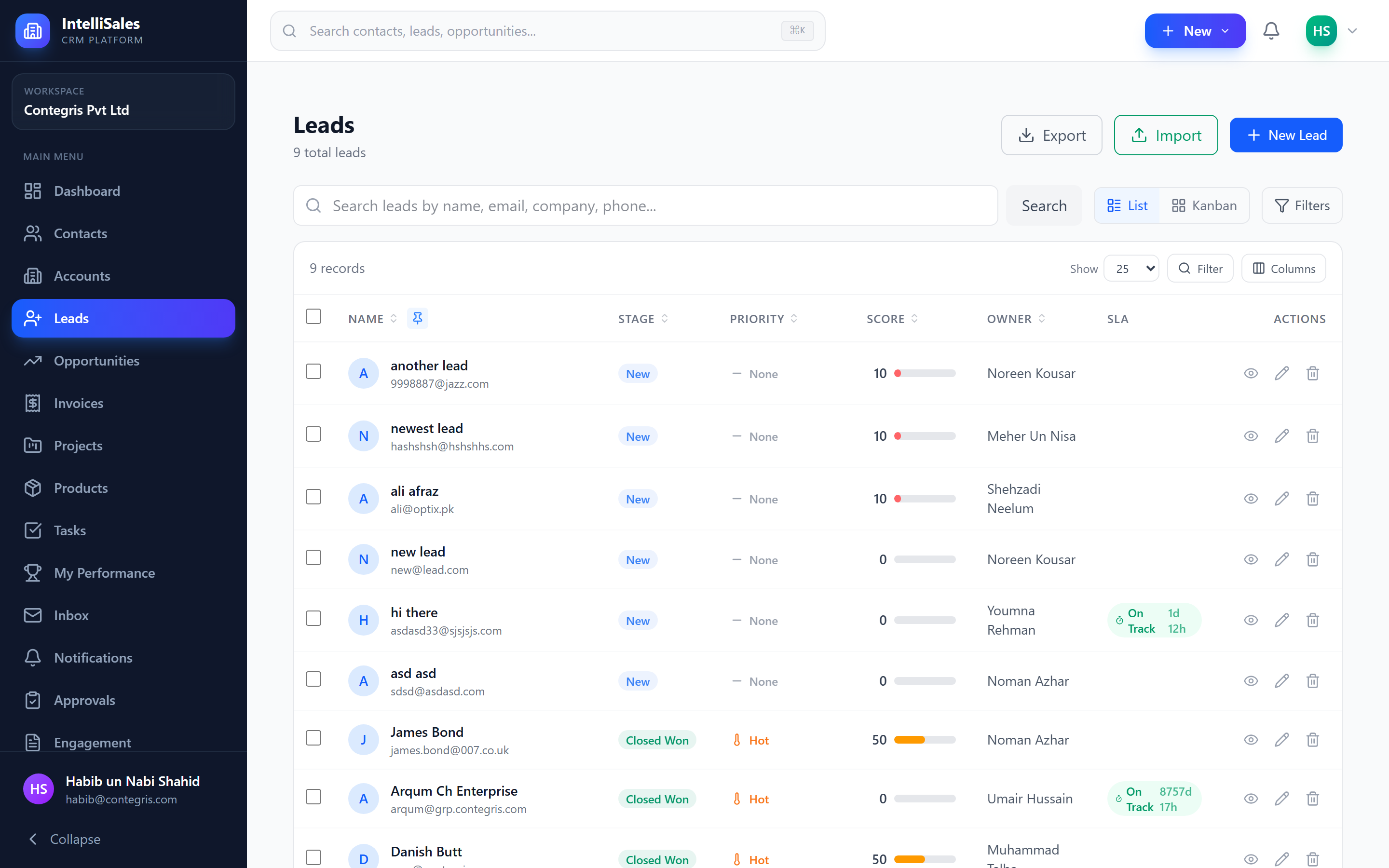
The Leads module is the starting point of your sales pipeline. Leads represent potential business opportunities that have not yet been fully qualified. The goal is to move leads through your pipeline stages, qualify them, and convert the best ones into contacts, accounts, and opportunities.
What are Leads?
A lead is a prospective customer or deal that enters your system through any channel — a web form submission, a phone call, a referral, an event, or manual entry. Leads live in a pipeline with configurable stages, and your team works to advance them toward qualification and conversion.
Lead Lifecycle
The typical lead lifecycle follows this path:
- New — lead enters the system
- Contacted — initial outreach made
- Qualified — lead meets your qualification criteria
- Converted — lead becomes a Contact + Account + Opportunity
- Disqualified — lead does not meet criteria (with documented reason)
Your organization may have different stage names and more or fewer stages. Pipeline stages are fully customizable by your administrator under Admin > Lead Settings.
Lead Fields
Standard lead fields include:
| Field | Description |
|---|---|
| Lead Name / Title | A descriptive name for the lead |
| First Name / Last Name | The prospect's name |
| Contact email address | |
| Phone | Contact phone number |
| Company | Organization name |
| Job Title | Prospect's role |
| Source | How the lead was acquired |
| Value | Estimated monetary value |
| Priority | Urgency level (Urgent, High, Medium, Low, None) |
| Stage | Current pipeline stage |
| Pipeline | Which pipeline the lead belongs to |
| Owner | Assigned CRM user |
| Description | Notes about the lead |
| Expected Close Date | When you anticipate conversion |
Your administrator can add custom fields to capture additional data specific to your sales process.
Lead Ownership and Record Teams
Every lead has a primary owner — the user responsible for working the lead. Beyond ownership, leads support record teams — multiple users who collaborate on the same lead.
Record team members can:
- View and update the lead (based on their permissions)
- Receive notifications about lead activity
- Appear in the lead's team panel
Use record teams for complex leads that require collaboration between sales reps, technical pre-sales, and managers. This ensures everyone has visibility without needing admin-level access.
Lead Sources
Lead sources track where your leads originate. Common sources include:
- Web Form
- Phone Inquiry
- Email Campaign
- Referral
- Partner
- Trade Show / Event
- Social Media
- Cold Call
- Advertisement
- Other
Source data powers your reports and dashboards, helping you understand which channels generate the most and best leads. See Reports Overview and the Lead Sources dashboard widget in Dashboard Widgets.
For list and Kanban views, see Leads List & Kanban. For the detail page, see Lead Detail Page.