Opportunities Overview
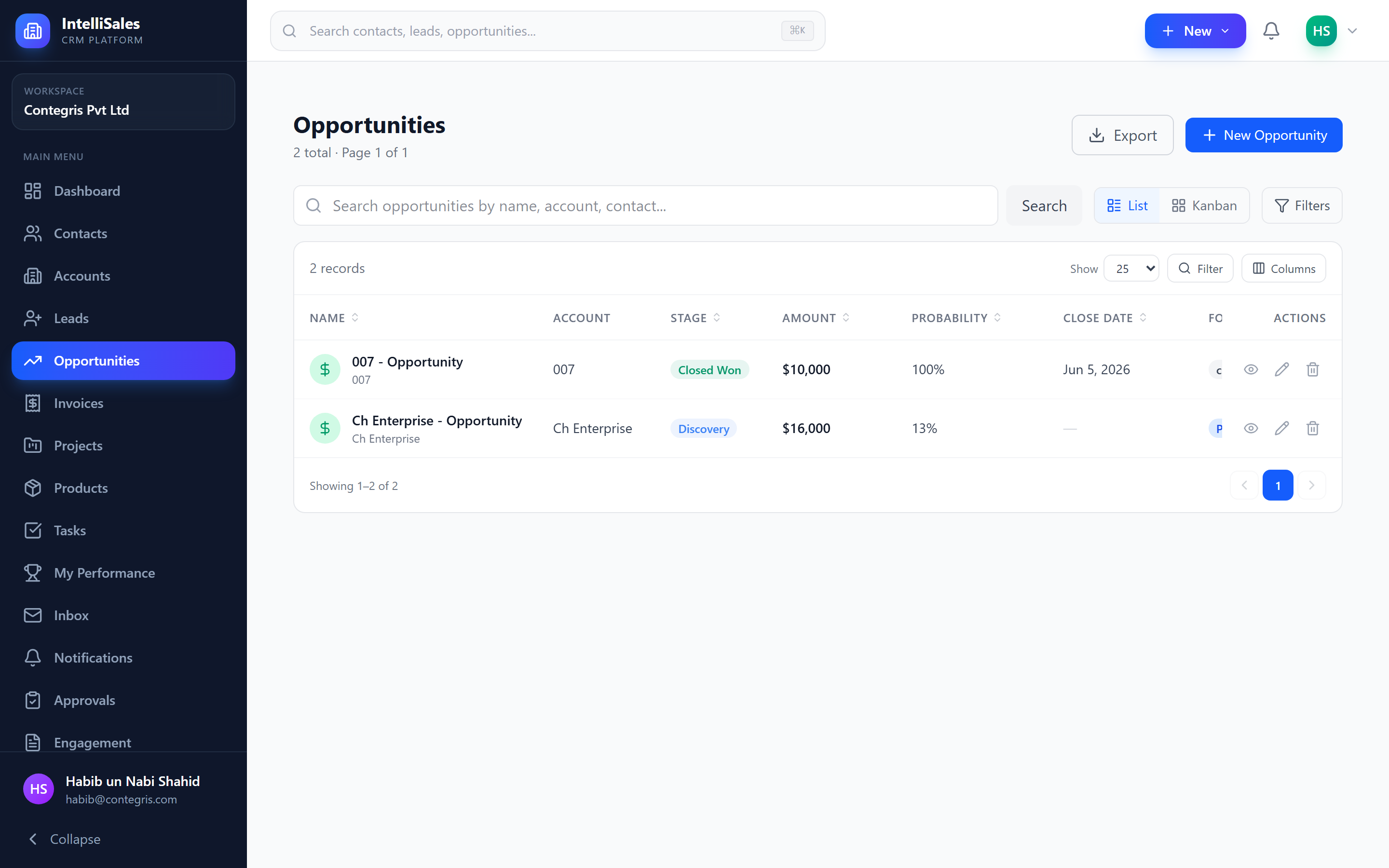
The Opportunities module manages your qualified deals. Once a lead has been vetted and converted, it becomes an opportunity — a real business prospect with an estimated value, probability, and timeline moving through your sales pipeline toward close.
What are Opportunities?
An opportunity represents a potential deal with a specific monetary value and close date. Unlike leads (which are still being qualified), opportunities are actively being pursued with a clear path toward winning or losing the business.
Opportunities are typically created by converting a lead, but they can also be created directly for deals that skip the lead qualification stage.
Opportunity Lifecycle
Opportunities follow a lifecycle from opening to closing:
- Open — the opportunity is actively being worked
- In Progress — moving through pipeline stages (Discovery, Proposal, Negotiation, etc.)
- Closed Won — the deal was successfully closed
- Closed Lost — the deal was lost (competitor, no decision, budget cut, etc.)
Your organization's pipeline stages are configured by the administrator under Admin > Opportunity Settings. The specific stage names and sequence depend on your sales methodology.
Key Fields
| Field | Description |
|---|---|
| Opportunity Name | A descriptive name for the deal |
| Amount | The total monetary value of the deal |
| Probability | Win likelihood as a percentage (0-100%) |
| Close Date | Expected date the deal will close |
| Stage | Current pipeline stage |
| Pipeline | Which pipeline the opportunity belongs to |
| Forecast Category | Classification for forecasting (Committed, Best Case, Pipeline, Omitted) |
| Priority | Urgency level |
| Owner | The sales rep responsible for the deal |
| Account | The organization the deal is with |
| Description | Notes and context about the deal |
| Source | Origin of the opportunity |
Contact Roles
Opportunities involve multiple stakeholders at the target organization. Contact roles define each person's influence in the buying process:
| Role | Description |
|---|---|
| Decision Maker | Has final authority to approve the purchase |
| Influencer | Influences the decision but does not have final say |
| Champion | Internal advocate pushing for your solution |
| Economic Buyer | Controls the budget |
| Technical Evaluator | Assesses technical fit |
| End User | Will use the product/service daily |
| Gatekeeper | Controls access to decision makers |
Identifying and documenting contact roles early in the deal helps you build the right relationships and tailor your messaging. Deals with clear champion and decision-maker contacts close at significantly higher rates.
Line Items (Products)
Opportunities can include line items — products or services from your Products catalog:
- Product — the item being sold
- Quantity — number of units
- Unit Price — price per unit (may come from a price book)
- Discount — percentage or fixed amount discount
- Total — calculated line total
The opportunity's Amount can be automatically calculated from the sum of line items, or it can be manually set.
For list and Kanban views, see Opportunities List & Kanban. For the detail page, see Opportunity Detail Page.