Reports Overview
The Reports module provides powerful analytics and visualization tools to help you understand your business data. Build custom reports from scratch, use pre-built templates, and schedule automated delivery.
Reports Module Overview
Reports transform your CRM data into actionable insights through charts, tables, and summaries. Whether you need a quick snapshot of pipeline health or a deep analysis of team performance, the Reports module has you covered.
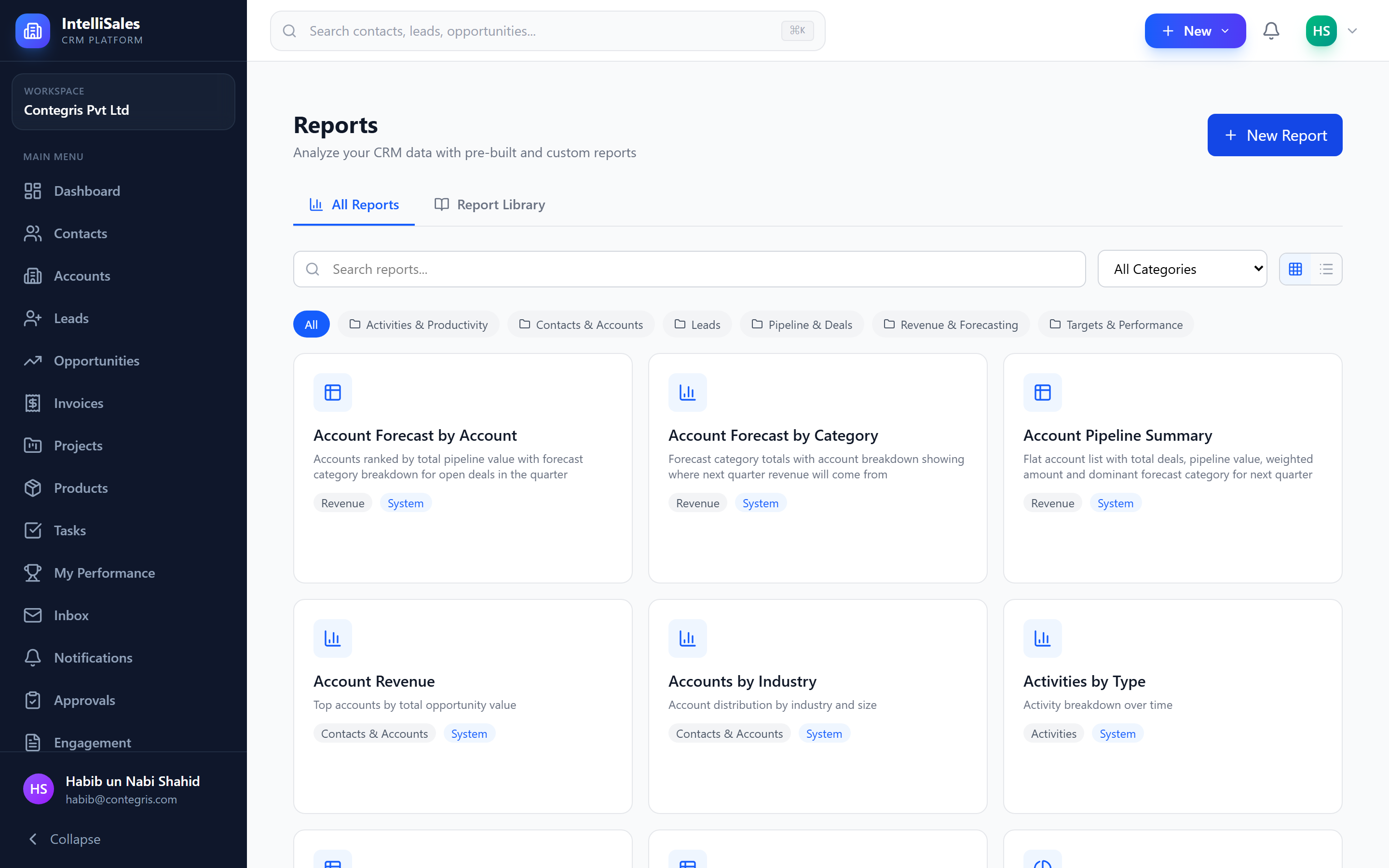
My Reports vs Report Library
My Reports
Reports you have created or that have been shared with you. This is your personal collection of go-to reports.
Report Library
A catalog of pre-built system reports created by your administrator. These are ready-to-use reports covering common business questions.
Start with the Report Library to see what is already available before building custom reports. Pre-built reports are optimized and tested for accuracy.
Report Categories
Reports are organized into categories for easy navigation:
| Category | Description |
|---|---|
| Pipeline | Deal pipeline health, stage distribution, velocity |
| Leads | Lead source analysis, conversion rates, aging |
| Activities | Team activity volumes — calls, emails, meetings |
| Contacts | Contact growth, engagement, demographics |
| Revenue | Revenue trends, forecasts, actuals vs targets |
| Targets | Target progress, gamification leaderboards |
| Custom | Reports you have built from scratch |
Folder Navigation
Reports can be organized into folders for better structure:
- Create folders to group related reports (e.g., "Monthly Reviews," "Executive Reports," "Team Metrics")
- Drag reports between folders to reorganize
- Folders appear in the left sidebar of the Reports module
Pre-Built System Reports
The system includes reports such as:
- Pipeline Summary — overview of all deals by stage and value
- Lead Source Report — breakdown of leads by source with conversion rates
- Monthly Activity Report — team activity metrics over time
- Revenue Forecast — projected revenue based on weighted pipeline
- Win/Loss Analysis — won vs lost deals with reason breakdown
- Team Performance — individual and team metrics comparison
- Overdue Tasks — tasks past their due date
- Contact Growth — new contacts added over time
Pre-built reports may be read-only. To customize them, duplicate a report and modify the copy. See Reports Viewer.
Account Forecast
In addition to the report builder, IntelliSales CRM includes a dedicated Account Forecast report accessible from Reports → Account Forecast in the sidebar.
The Account Forecast provides a comprehensive view of your sales pipeline grouped by account, with forecast category breakdowns (Commit, Best Case, Pipeline, Upside) for revenue planning. It includes:
- Time period toggle — current quarter vs. next quarter
- Scope control — my deals, my team, or all (for managers and admins)
- Summary KPIs — total accounts, open deals, total pipeline, weighted value, average probability
- Three views — by account, by forecast category, and flat table
For full details, see Account Forecast.
Next Steps
For building your own reports, see Report Builder. For viewing, exporting, and sharing reports, see Reports Viewer.