Accounts Overview
The Accounts module manages organizations — the companies, businesses, and entities your team works with. While Contacts represent individual people, Accounts represent the organizations those people belong to.
What are Accounts?
An account is a record representing an organization in IntelliSales CRM. Accounts can be your customers, prospects, partners, vendors, or any other type of organization relevant to your business.
Accounts serve as a hub connecting contacts, leads, opportunities, invoices, and projects that relate to the same organization.
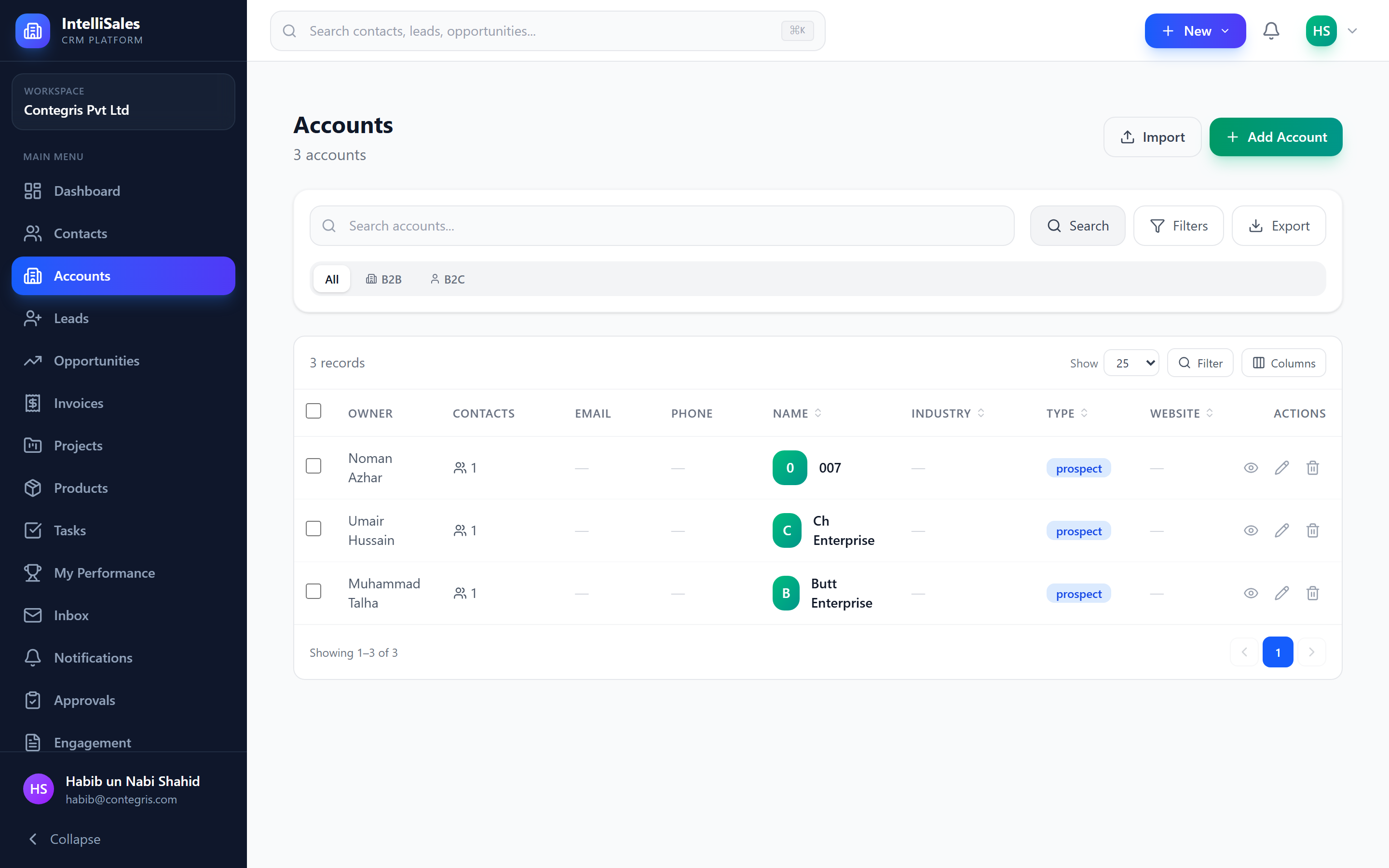
B2B vs B2C Classification
Every account is classified as one of:
- B2B (Business-to-Business) — the account is a business you sell to or partner with
- B2C (Business-to-Consumer) — the account represents an individual consumer or household
This classification affects how the account is displayed and filtered throughout the platform. A classification badge appears on account cards and detail pages.
The classification is set when creating the account and can be changed later by editing the account. Use B2B for corporate clients and B2C for individual consumers.
Account Types
Accounts can be further categorized by type:
| Type | Description |
|---|---|
| Customer | An organization that has purchased from you |
| Prospect | A potential customer you are actively pursuing |
| Partner | A business partner or reseller |
| Other | Any other type of organization |
Account types are displayed as badges on the account list and detail pages, making it easy to identify the nature of each relationship at a glance.
Account Fields
Standard account fields include:
| Field | Description |
|---|---|
| Account Name | The organization's name |
| Website | Company website URL |
| Industry | Business sector (Technology, Healthcare, Finance, etc.) |
| Annual Revenue | Estimated yearly revenue |
| Employee Count | Number of employees |
| Phone | Main phone number |
| General email address | |
| Billing Address | Street, city, state, zip, country |
| Shipping Address | Separate shipping address if applicable |
| Description | Free-text notes about the organization |
| Classification | B2B or B2C |
| Account Type | Customer, Prospect, Partner, or Other |
| Owner | The CRM user responsible for this account |
| Parent Account | The parent organization (for subsidiaries) |
Your administrator may also configure custom fields specific to your business needs.
Parent-Child Account Hierarchy
IntelliSales CRM supports hierarchical account structures through parent-child relationships. This is useful for:
- Corporate groups — a parent company with multiple subsidiaries
- Divisions — regional offices or business units under a main entity
- Franchise networks — a franchisor with individual franchise locations
To set up a hierarchy:
- When creating or editing an account, select a Parent Account from the dropdown.
- The child account appears under its parent in the hierarchy.
- The parent account's detail page shows all its Children in a dedicated tab.
Use account hierarchies to understand the full scope of a corporate relationship. When viewing a parent account, you can see the combined contacts, opportunities, and revenue across all child accounts.

Customer 360 Capabilities
Every account includes a built-in Customer 360 view with:
- Health Score — a composite 0–100 score measuring payment health, engagement, product usage, support health, relationship depth, and contract status
- Churn Risk — auto-calculated LOW / MEDIUM / HIGH indicator
- CLTV — Customer Lifetime Value projection
- MRR / ARR — recurring revenue from product subscriptions
- Upsell Suggestions — AI-driven product recommendations with scores and explanations
- Customer Journey Map — visual timeline from first lead through renewal
- Usage Tracking — monitor product adoption via Pull API, Push Webhook, or manual entry
See Customer 360 View for a deep dive.
What's Next
- Managing Accounts — creating, editing, and organizing accounts
- Account Detail Page — the unified 360° view with all 14 tabs
- Customer 360 View — health scores, churn risk, and upsell logic
- Subscriptions & Renewals — product subscriptions and renewal tracking