My Day, Workload & Weekly Reports
Three views look at project work from the people side: My Day for what you're doing today, Workload for how loaded the team is this week, and the Weekly report that summarises each person's week for their manager.
All three use project tasks (assignee, estimate, due date), project time entries and each person's weekly capacity. Weeks run Monday to Sunday in the company's timezone (Admin → General Settings).
My Day
Open My Day from the sidebar (or from the Projects page). It shows:
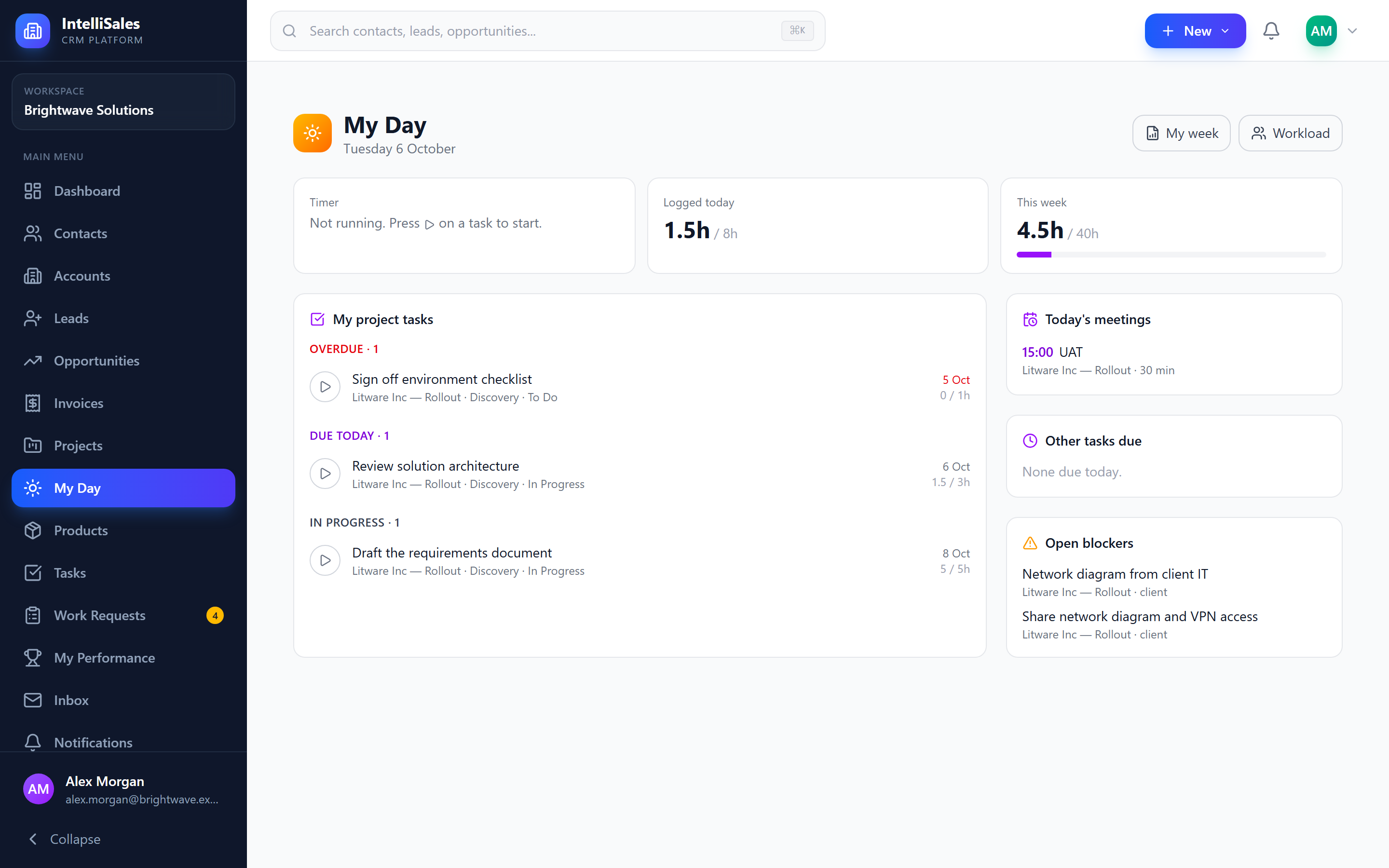
| Part | What it shows |
|---|---|
| Timer | The task your timer is running on and for how long, with Stop. |
| Logged today / This week | Hours from your time entries, against a fifth of your weekly capacity and the whole week's capacity. |
| My project tasks | Your open project tasks, grouped: Overdue, Due today, In progress (started, due later) and Up next (due in the next 7 days). Each shows its project, stage, status, due date and hours logged against the estimate (red when over). |
| Today's meetings | Project meetings today that you're an attendee of. Click one to open the project's Meetings tab. |
| Other tasks due | CRM tasks (from Tasks) assigned to you that are due today or overdue. |
| Open blockers | Open blockers you raised, or that are on tasks assigned to you. |
To track time, press the play button next to a task — the timer starts on that task (stopping any other timer you had running). Press it again, or Stop in the Timer card, to log the time. See Time Tracking.
My week opens your own weekly report.
Workload
Workload (from My Day or the Projects page) shows one row per person with project work that week:
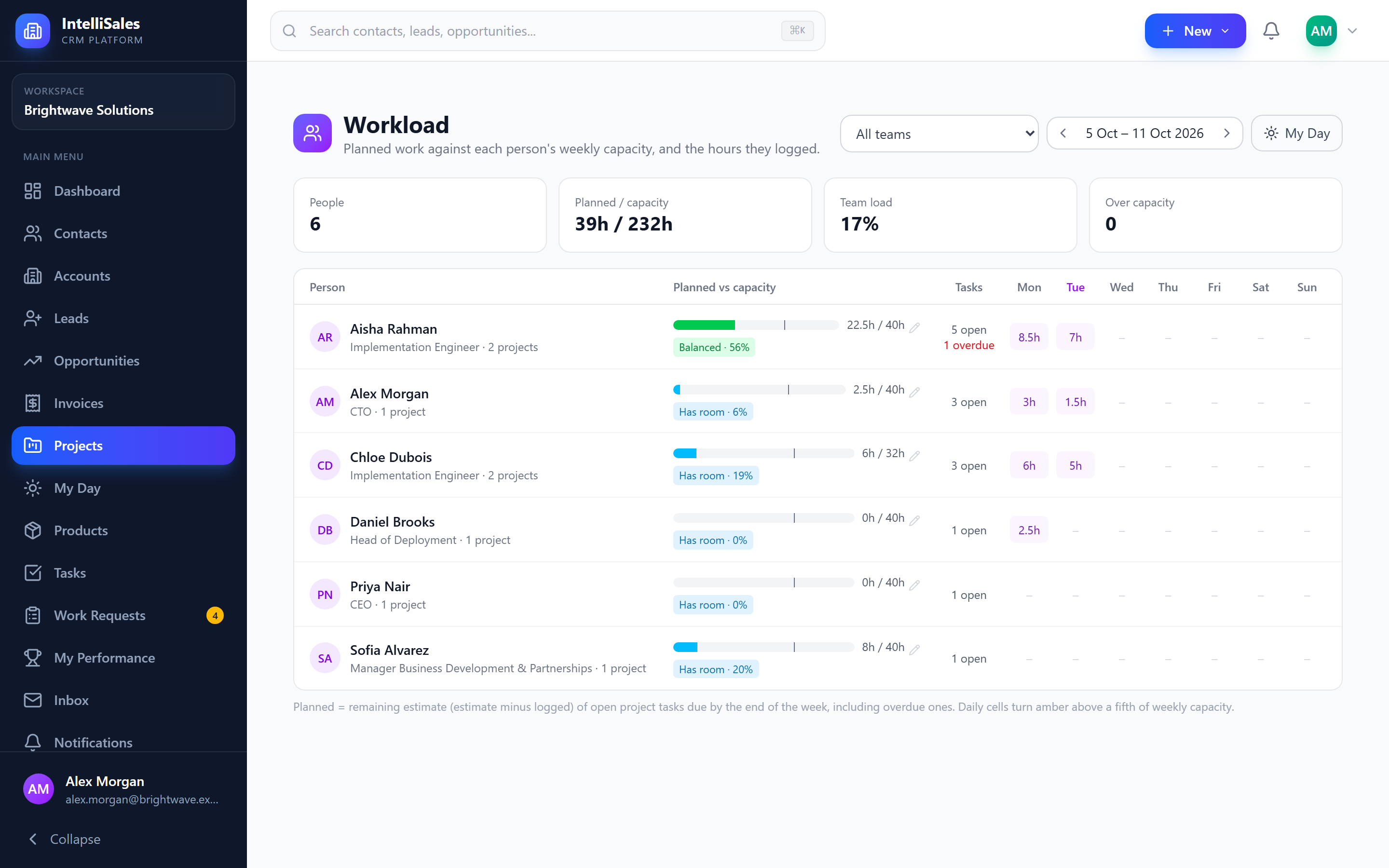
- Planned vs capacity — planned is the remaining estimate (estimate minus hours logged) of the person's open project tasks due by the end of the week, including overdue ones. The bar's line marks 100% of capacity.
- Over capacity above 100%, Near capacity from 85%, Balanced, or Has room below 50%.
- Tasks — open project tasks, and how many are overdue.
- Mon … Sun — hours logged each day; amber when a day is above a fifth of weekly capacity.
- Logged — hours logged that week, and Report to open that person's weekly report.
Move between weeks with the arrows, or filter by team. The cards at the top total people, planned hours against capacity, the team's load and how many people are over capacity.
Who sees whom
| You are | You see |
|---|---|
| Admin, or a role with All record access to Projects | Everyone with project work |
| A manager | Yourself and the people who report to you (their Manager on the user profile) |
| A role with Team record access to Projects | Also the members of your teams |
| Anyone else | Yourself |
Weekly capacity
Everyone starts at 40 hours a week. An admin, or the person's manager, changes it with the pencil next to the capacity on the Workload row — for example 32 for someone working four days.
Weekly report
The weekly report summarises one person's week:
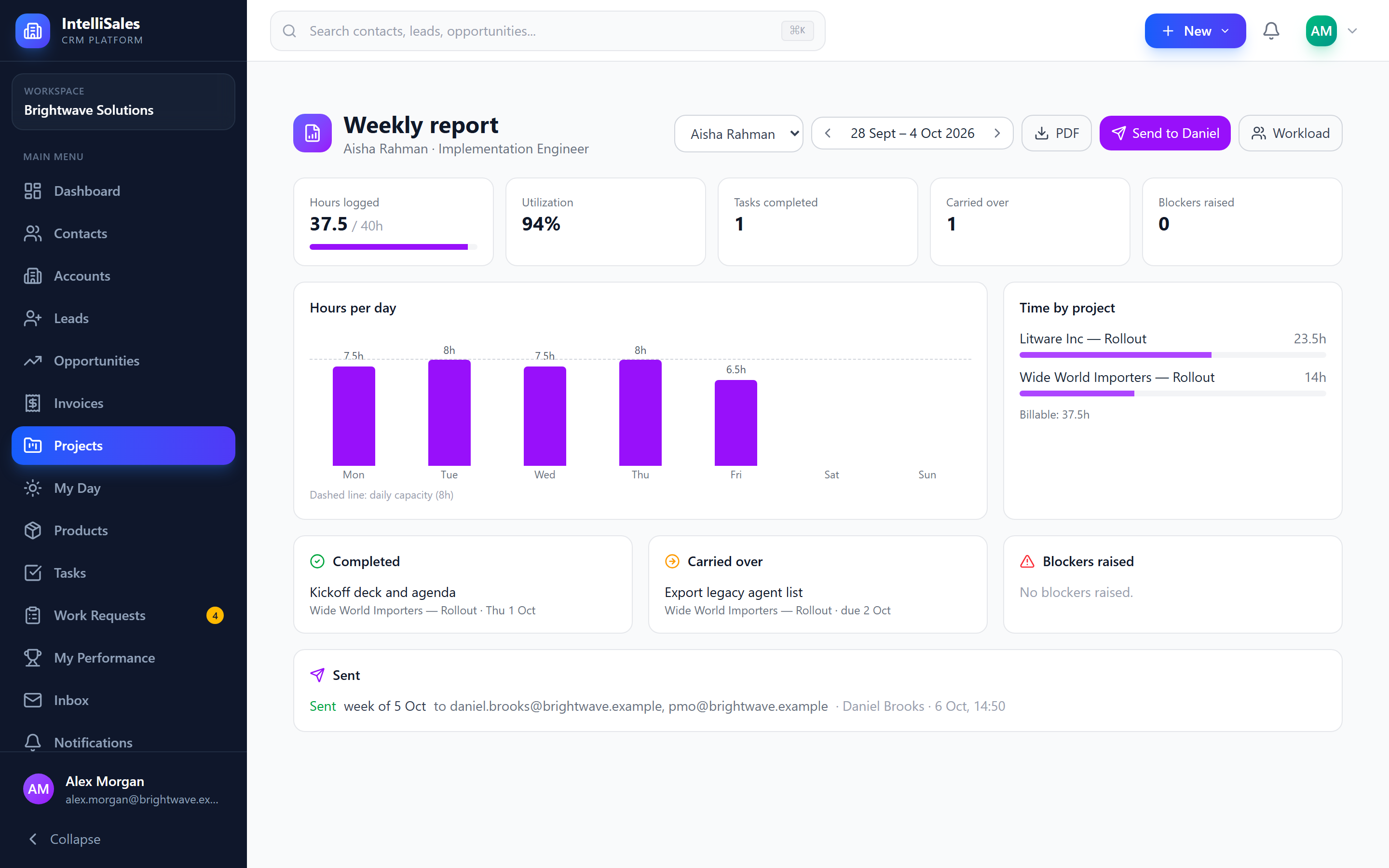
- Hours logged against capacity, and utilization (logged ÷ capacity)
- Hours per day, with the daily capacity line
- Time by project, and billable hours
- Completed — project tasks completed that week
- Carried over — open tasks that were due by the end of the week, with the hours left on each
- Blockers raised that week
- Sent — when the report was emailed, to whom and by whom
Open your own from My Day → My week; managers open their people's from Workload → Report, and can switch person and week at the top.
- PDF downloads the one-page report.
- Send to <manager> emails the PDF now to the person's manager and the other recipients set in Project Settings → Weekly Report.
When an admin turns on automatic sending, everyone's report for the current week goes out once at the set day and time — by default Friday 16:00.